 WhatsApp: +86 16626708626
 Email:
  Phone: +86 16626708626
Description
- Real-World Use & Application Scenarios
Where is this product used and why?
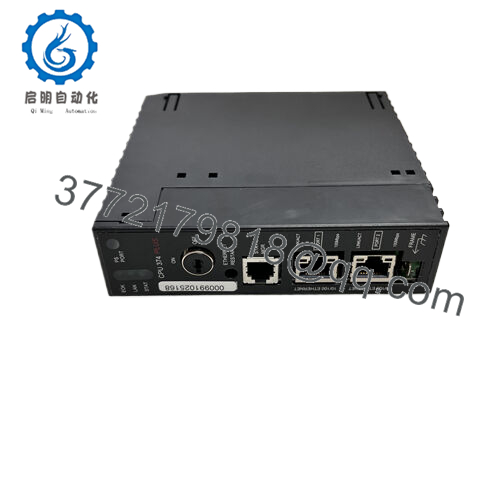
Within GE Fanuc 90-30 automation environments, the IC693374-GV acts as a versatile, Ethernet-enabled CPU that drives a wide range of machine control applications. It’s commonly deployed on automotive assembly lines, packaging, material handling, and process control tasks where reliable, real-time processing and networked data exchange are essential. This CPU sits at the heart of a modular control system, coordinating I/O, motion, and communication modules across a backplane. The embedded ethernet interface enables direct integration with plant networks, remote diagnostics, and modern SCADA or HMI systems, making it suitable for both greenfield deployments and legacy system modernization. The model name IC693374-GV is often cited in BOMs and commissioning guides as the brain of the GE 90-30 stack, ensuring consistent performance and compatibility with GE software tools. - Product Introduction & Positioning
Overview of the product’s definition, role, and system compatibility
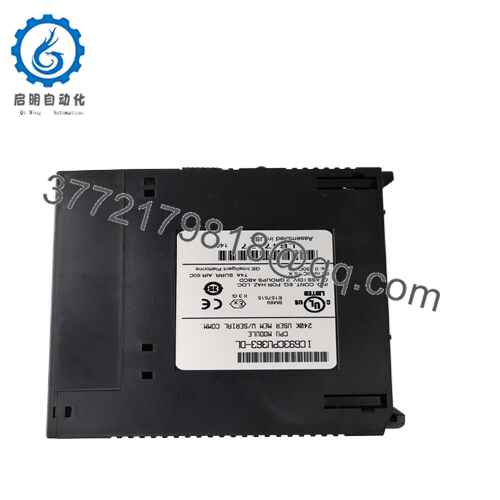
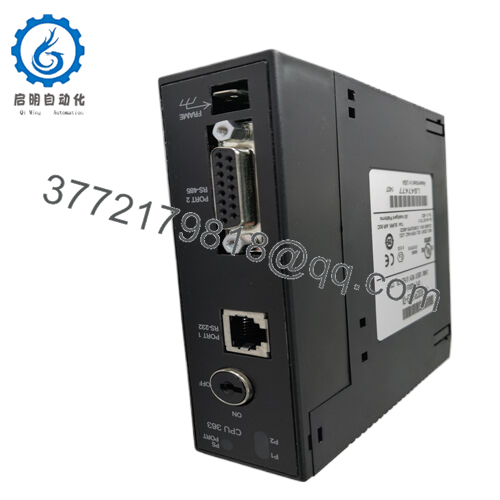
The IC693374-GV is a Series 90-30 CPU module featuring embedded Ethernet capabilities to connect the controller to local and remote devices. It executes control programs, manages data, and interfaces with I/O modules, networking gear, and field devices through the GE backplane and Ethernet pathway. This CPU’s strength lies in its balance of processing power, diagnostic depth, and a familiar GE software ecosystem, making it a dependable choice for mid-range applications that require scalable control with networked visibility. The exact model name IC693374-GV should be consistently referenced in project documentation to ensure correct firmware baselines and system topology. - Key Technical Features & Functional Benefits
Expectations for performance and reliability from the IC693374-GV
The IC693374-GV typically delivers solid processing power suitable for standard control loops, plus enough memory and software support to handle moderate data logging, recipe management, and safety interlocks. Its Ethernet interface enables efficient data sharing with HMIs and SCADA systems, as well as remote diagnostics. The backplane interface ensures reliable coordination with I/O and motion accessories, while GE’s diagnostic tools aid commissioning and ongoing maintenance. Reliability is reinforced by robust electrical design, heat management considerations, and a proven track record in GE 90-30 installations. The unit is well-suited for customers looking to upgrade from older CPUs while preserving the broader 90-30 architecture. - Detailed Technical Specifications
Parameter | Value
Model | IC693374-GV
Brand | GE Fanuc Emerson
Type | CPU module with Ethernet
Backplane Compatibility | GE Series 90-30 backplane
Processor / Core | 16- to 133-MHz range variants commonly referenced
Memory | RAM and non-volatile storage options (per configuration)
Ethernet Interface | Embedded Ethernet port for plant network connectivity
I/O Interface | Connects to Series 90-30 I/O modules
Power Requirements | Industrial DC power as per system design
Operating Temperature | Industrial range (typical 0–60°C)
Certifications | Industrial safety and EMC compliance
Dimensions | Standard GE 90-30 CPU footprint
Diagnostics | On-board health status and fault reporting
Cooling | Passive cooling with enclosure-specific considerations - Related Modules or Compatible Units
- IC693CPU374 (alternative CPU variant) – similar footprint with different performance
- IC693MDL653H – Discrete I/O module to pair with the 90-30 CPU family
- IC693ALG392 – Analog I/O expansion compatible with 90-30 CPUs
- IC693ALG230 – Analog input base converter in the same ecosystem
- IC693ALG391 – Adjacent analog module with different characteristics
- IC693ACC301 – Accessories and mounting hardware for 90-30 CPUs
- IC693CBL311 – Setup cables and diagnostics for the 90-30 platform

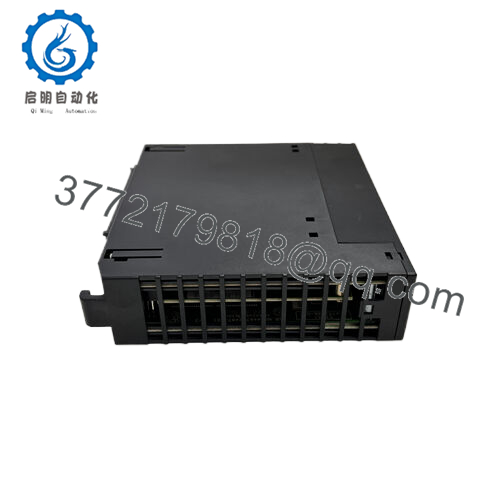
- IC693374-GV
- Installation Notes & Maintenance Best Practices
Pre-installation considerations
Verify chassis compatibility, ensure proper seating of the CPU in the 90-30 backplane, and confirm the network topology aligns with the site’s Ethernet plan. Check that power supplies meet the CPU’s requirements and that any required licensing or software baselines are in place. Plan for sufficient cooling and cable management to minimize EMI.
Maintenance best practices
Maintain a schedule for firmware and software updates through GE support channels, and back up the control program and configuration. Monitor CPU health indicators and network diagnostics to detect anomalies early. Keep spare CPUs and commonly used I/O modules in inventory to minimize downtime during field swaps. Document topology, firmware levels, and maintenance actions for audits and upgrades.